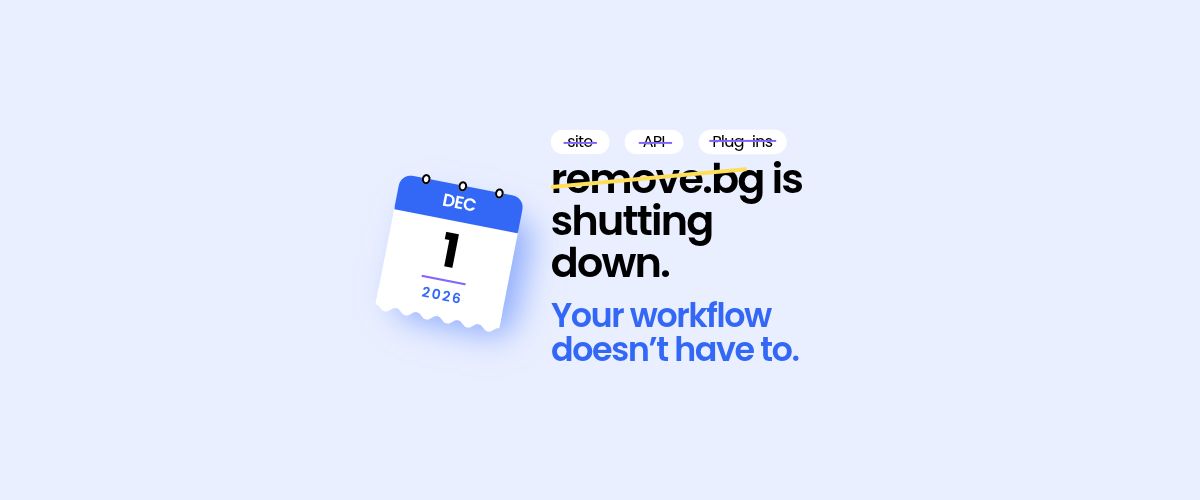
Are you ready when remove.bg shuts down? Switch to Removal.AI now
remove.bg is shutting down its standalone site on December 1, 2026. Background removal moves to Canva, and its API moves to Leonardo.Ai.
What does this mean for you who built your workflow around it as a single-purpose tool?
There’s a real difference between using a tool built to do one thing and another platform that’s built to do dozens of things at once. First, you’ll get blocked by features you’ll never use just to get to what you came for. Second, you’ll find the friction might be small on single images, but it adds up fast across a hundred photos on a deadline.
That’s the trade-off worth weighing before December 1.
Removal.AI is Built for the Workflow You Already Have
With Removal.AI, you upload an image, remove the background, and download the results. It’s pretty straightforward and already built to plug into your pipeline that already exists:
- An API access for your existing product or app.
- Bulk background remover for your e-commerce team who’s processing large product catalogs.
- A desktop app that lets you customize product image dimensions, change backgrounds, and adjust optimization options for your e-commerce platforms.
Top-notch quality and competitive speed
Clean product shots against solid, single-color backgrounds are easy to process, and most tools handle them well. But the complex ones? That’s what sets Removal.AI apart.
Edges with hair, fur, and fine strands are processed with great results, keeping each wisp intact instead of chopping it into a blunt outline. Tested across different image types and levels of complexity, Removal.AI is one of the best background removers.
In addition, Removal.AI has a bulk background removal function that works more efficiently and can handle 100 images per upload. We tested 100 images in this e-commerce guide, and the result? The entire process only took 11 minutes and 54 seconds.
When you migrate from one tool to another, especially on a hard deadline, quality and independence don’t have to be the trade-off. Choosing another tool may mean getting a comparable result (or even better!).
Save more credits and process more images
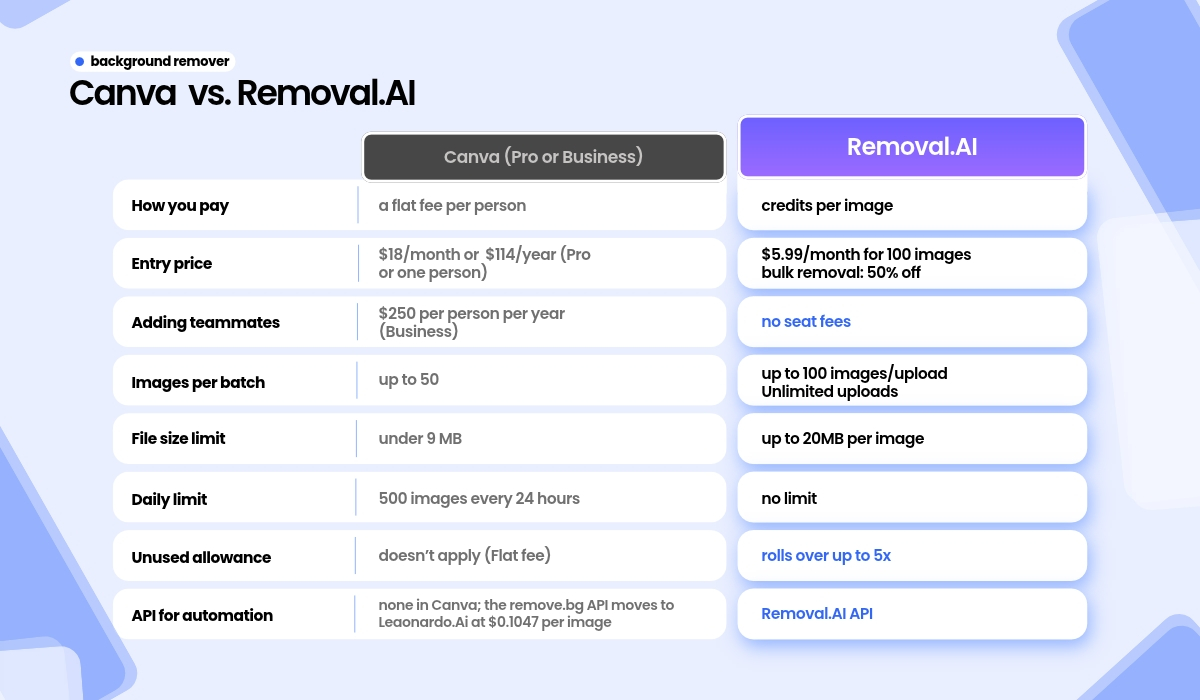
Canva puts Background Remover on its paid plans only. Canva Pro costs $144 a year, or $18 a month on monthly billing, and covers one person. If two or more people need access, the team moves to Canva Business at $250 per person per year. You pay the same whether you remove 20 backgrounds a month or 2,000. The fee also covers templates, brand kits, and AI tools a product team may never open.
Removal.AI charges for the images you process, with nothing else bundled in. Monthly plans start at $5.99 for 100 credits. Unused subscription credits roll over, up to five times your monthly allowance, so a slow month doesn’t burn what you paid for. The online bulk remover also uses just 0.5 credit per image, so credits go twice as far on batch jobs.
For one designer who already works in Canva and removes a few backgrounds a week, Pro is a fair deal. However, the math changes in two situations:
The first is light, steady use. A seller who needs clean product shots, but not a design suite, pays $5.99 a month instead of $18.
The second is volume. Take a mid-sized furniture retailer photographing 3,000 new SKUs before a holiday catalog:
- In Canva: 60 separate batches of 50, at least six days of work under the 500-a-day limit, and any high-resolution shot over 9 MB turned away before it starts.
- In Removal.AI’s bulk remover: 30 uploads of 100 and about 5 to 7.5 hours of hands-off processing. The job takes 1,500 credits, which fits in one month of the 2,800-credit plan, and the 1,300 left over roll into next month for reshoots and new arrivals.
A lower cost per image helps, but at catalog scale the bigger saving is time. High-quality results shouldn’t come with a batch limit, a daily cap, or a seat fee for every person who handles the images.
The Choice the Deadline Is Forcing Anyway
December 1, 2026 doesn’t leave room to sit on this indefinitely. Remove.bg’s standalone site, API, and Photoshop plugin go away on that date regardless of what anyone decides to do between now and then.
Migrating a workflow always costs something in time, testing, and adjustment, even when the destination is a good one. An API integration needs to be pointed at a new endpoint and tested against a handful of real product images before it goes live in production. A studio relying on the Photoshop plugin needs a week or two of overlap to confirm the new workflow holds up across a real shoot, not just a quick sample. None of that is difficult, but none of it should happen for the first time on November 30th.
Doing that work now, on a timeline chosen in advance, beats doing it in a scramble after the standalone service is already gone. The deadline is fixed either way. What’s still flexible is whether the switch happens on a schedule that makes sense, or under pressure with no room to double-check the result.
Try Removal.AI before the deadline makes that decision for you.
Latest