Best Background Remover Tools: 2026 Review
With AI products dominating the online market these days, you’ve probably already heard of AI background remover tools. These tools help remove the background from images instantly so you can reuse your subject with a transparent background or even a different one.
But which of them suits your business needs the best?
While Removal.AI remains one of the best free background remover tools in 2026, you will find in this blog a list of more background remover tools. And by the end of this article, you’ll be able to assess each tool’s capabilities, such as:
- Accuracy of Background Removal
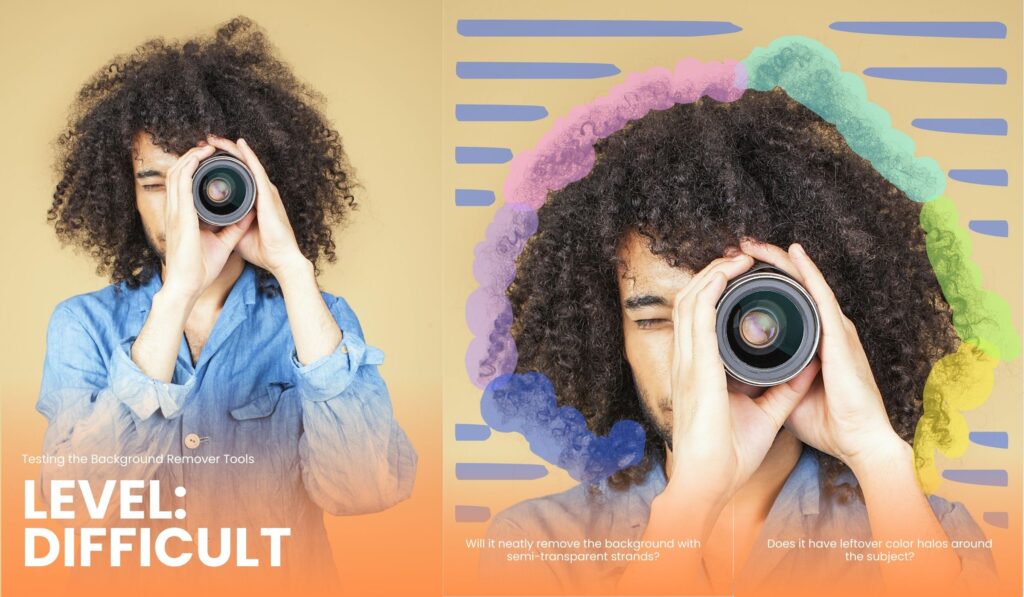
- Does it handle fine details like hair or fur?
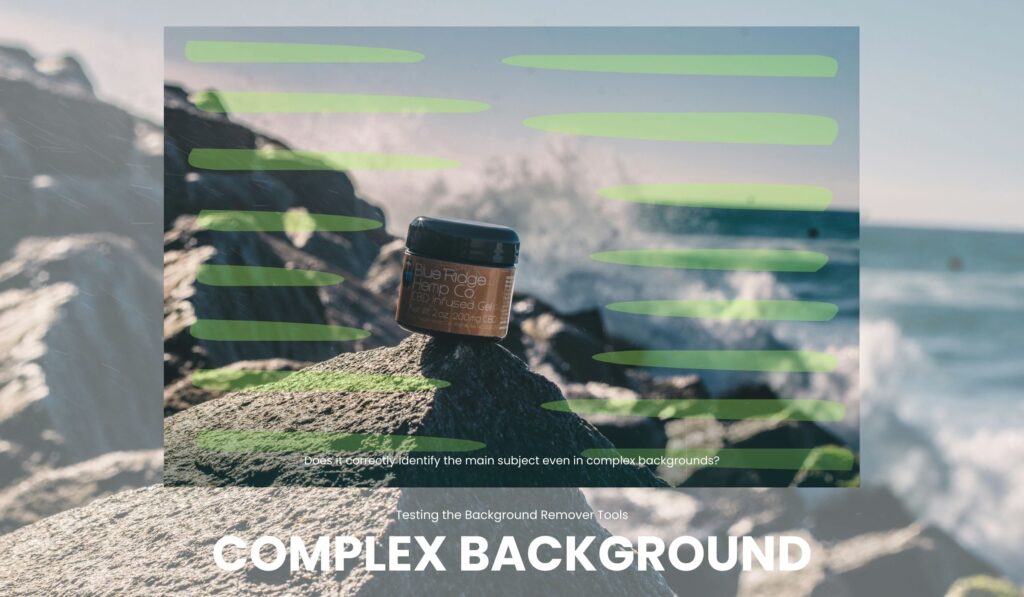
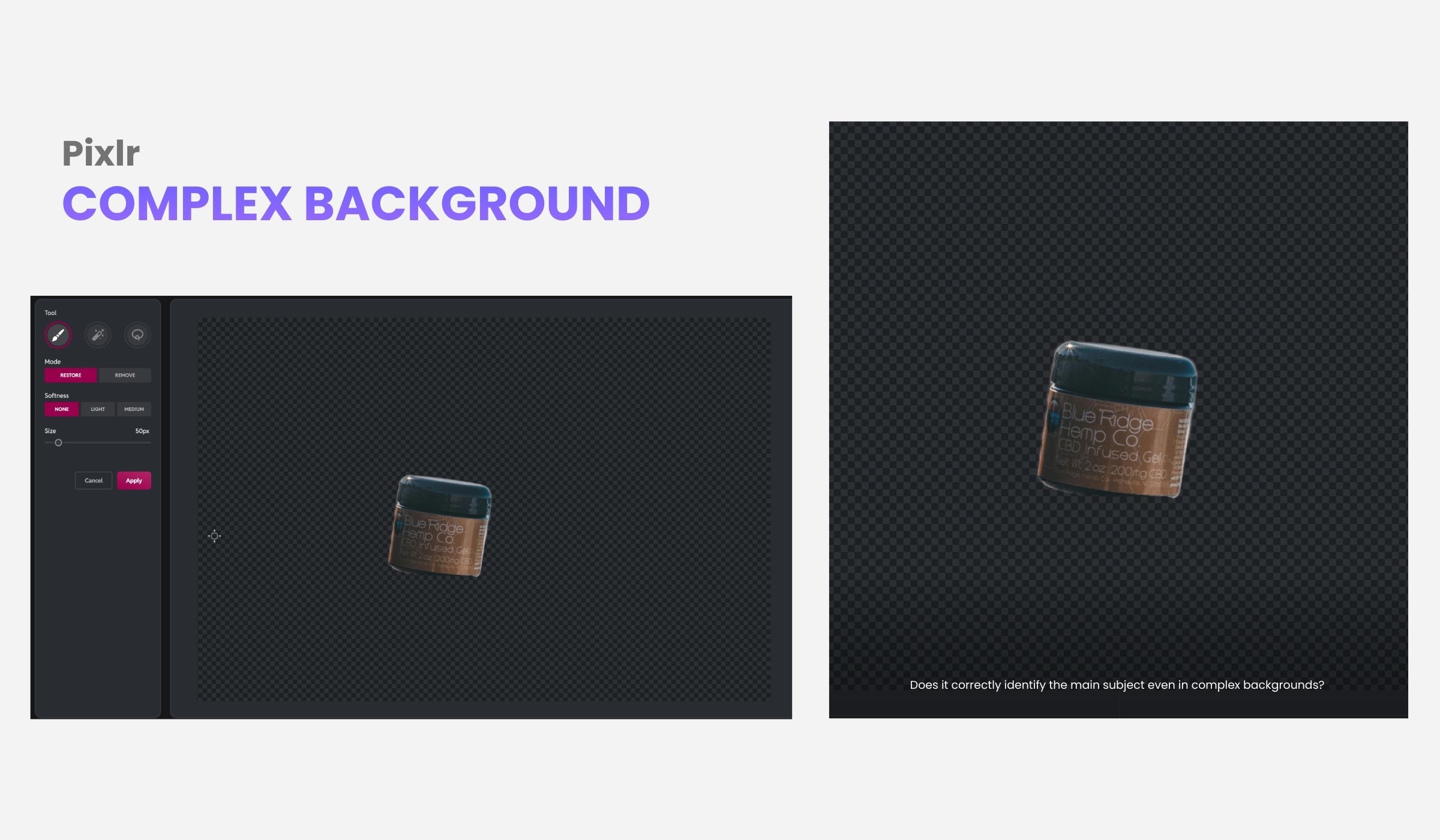
- Does it correctly identify the main subject even in complex backgrounds?
- Does it have leftover color halos around the subject?
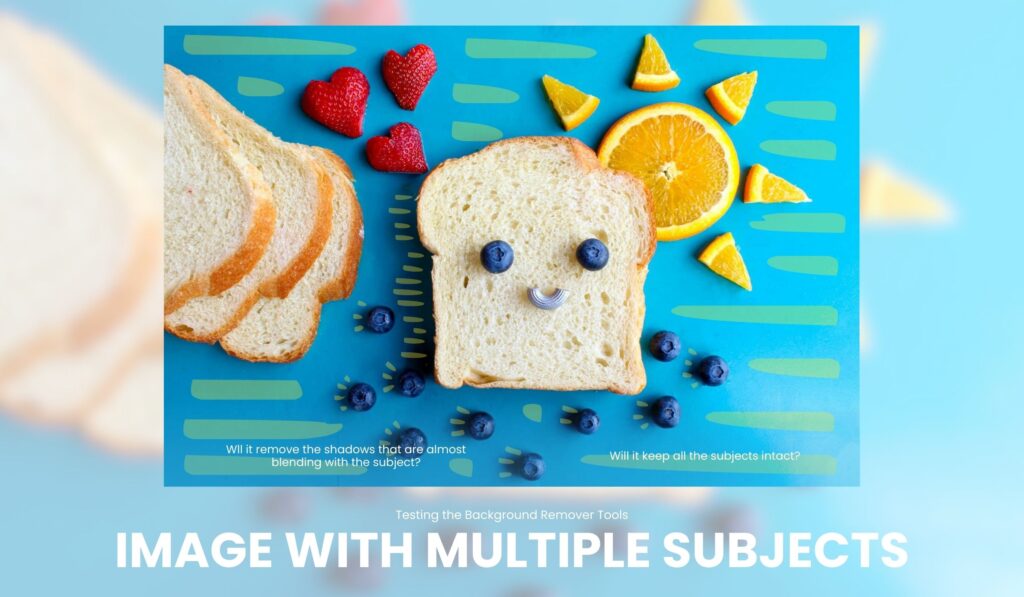
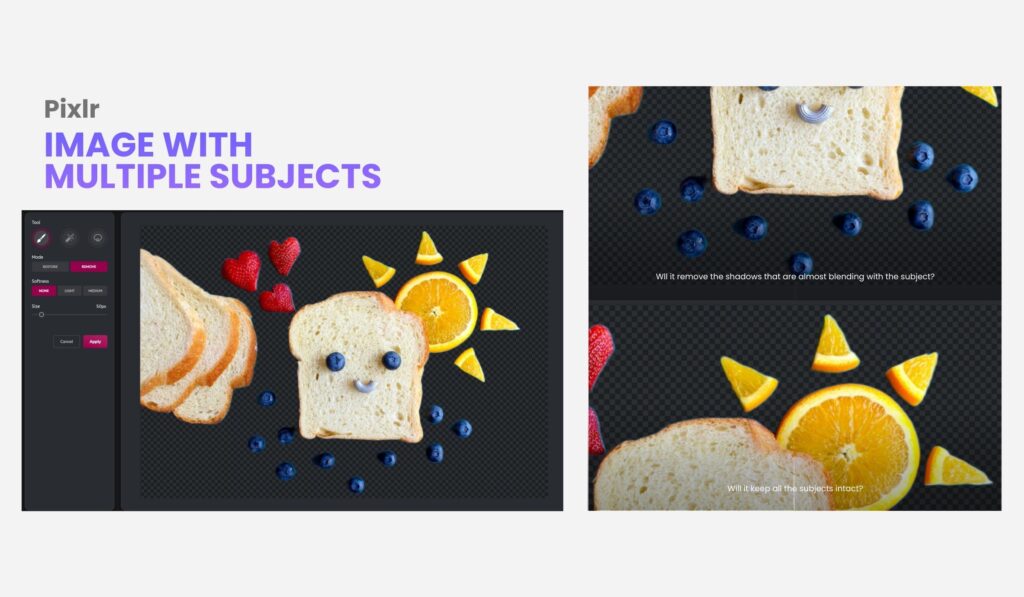
- Does it handle groups or multiple objects accurately?
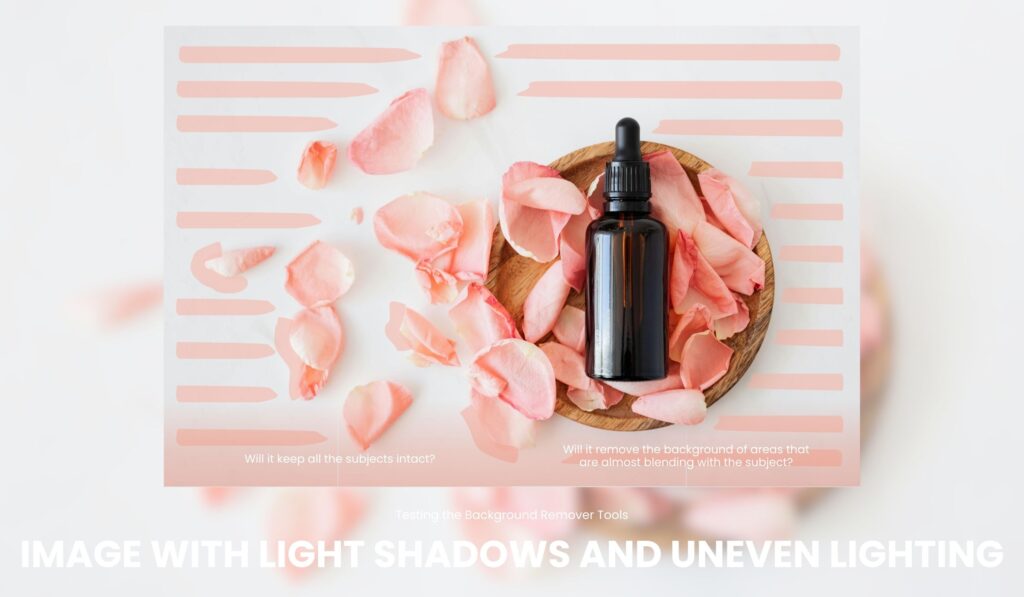
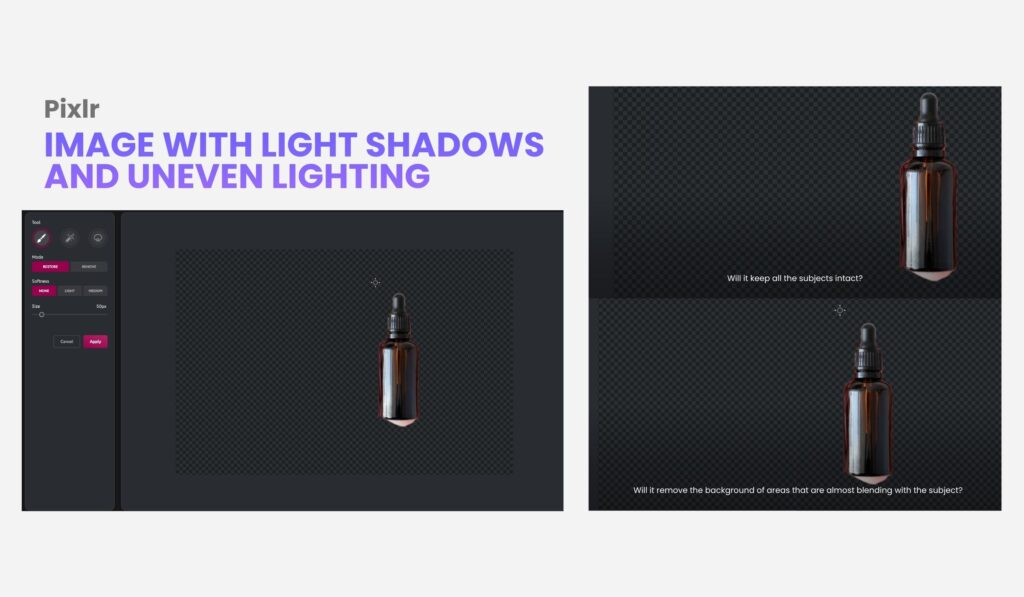
- Does it work well in photos with shadows or different brightness levels?
- Does the process image blend well with new backgrounds?
- Editing and Customization
- Is there an option to restore or erase areas?
- Can the size/aspect ratio be adjusted after removal?
- Cost and Accessibility
- Can you use the tools for FREE?
- How many removals can you do per day?
- Can it perform a batch removal?
This way, you’ll get a glimpse of what to expect when trying out these tools. And take note: we will be updating this article frequently, so look forward to the new tools we’ll be including in this article.
Ready?
Testing the Free Background Remover Tools
To know the capability of each online background remover, we’ve selected some images to use and will process them across all tools. The goal is to provide helpful context on how these different background removers respond to different image conditions. This is to help users choose what works best for their needs.
Set 1: Images with hair or fur
We’ve categorized them by level, from easy to difficult.

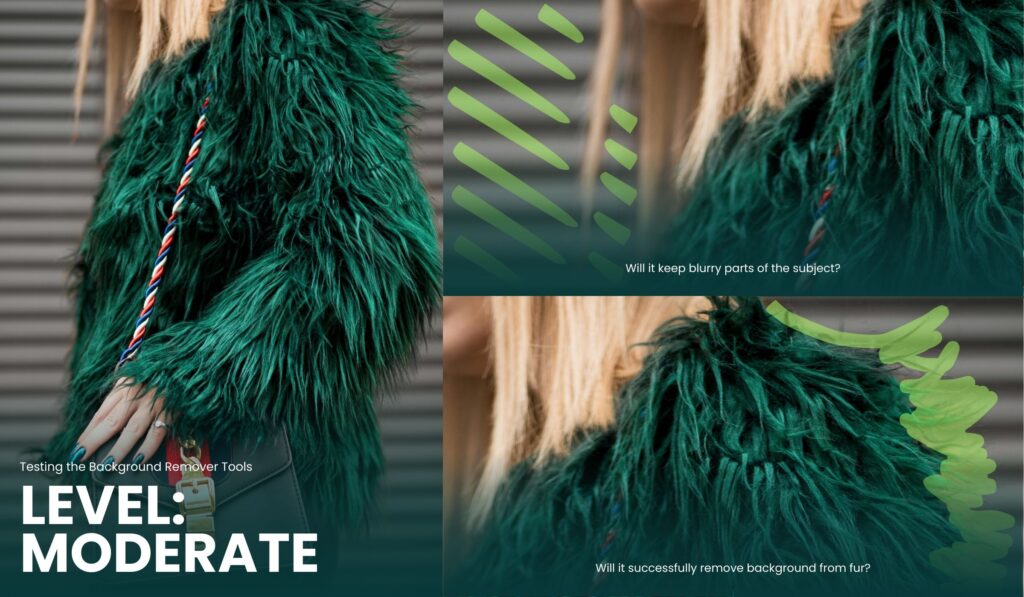
Set 2: Images with complex backgrounds, multiple subjects, and varying shadows.
We’ve also selected some images under different conditions. : one with multiple subjects, another with uneven lighting or exposure, and another with a complex background.
The Results: The Best Background Remover Tools
- Removal.AI
Of course, Removal.AI tops the list of the best background remover tools. Removal.AI’s results are excellent across all images, as expected. It has impressive background removal for images with hair and fur, leaving soft edges with no color bleeding — a perfect result for portraits and headshots.
When it comes to object detection, Removal.AI is also reliable. It can recognize the subject/s well, even with a complex background or uneven lighting.
Developed by a team of professional photo editors, retouchers, and AI developers, Removal.AI combines smart AI with years of real editing experience. As a result, the tool doesn’t just remove backgrounds but also understands what makes a photo look clean and professional. The quality results speak for themselves:
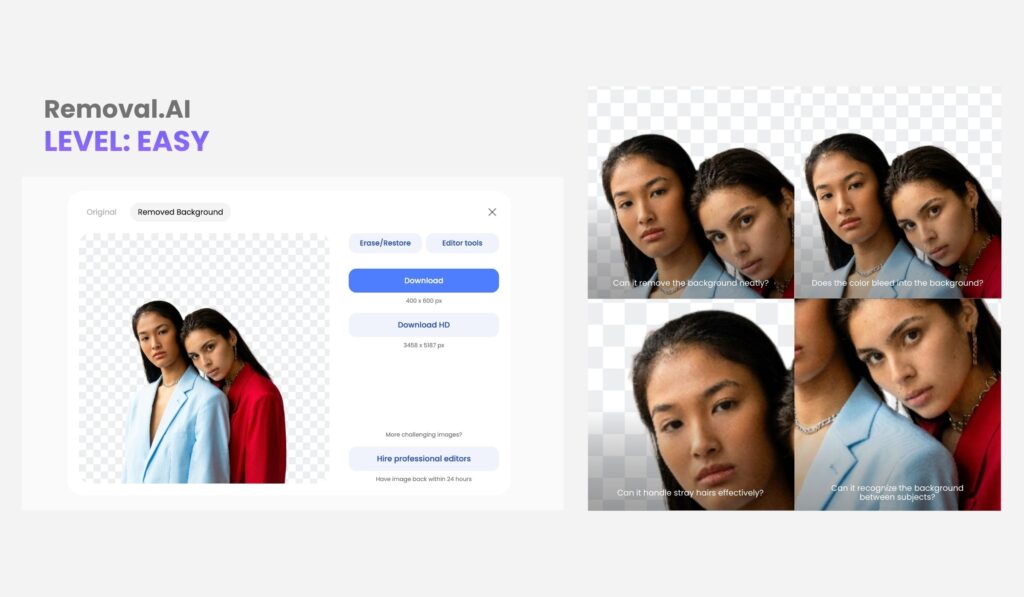
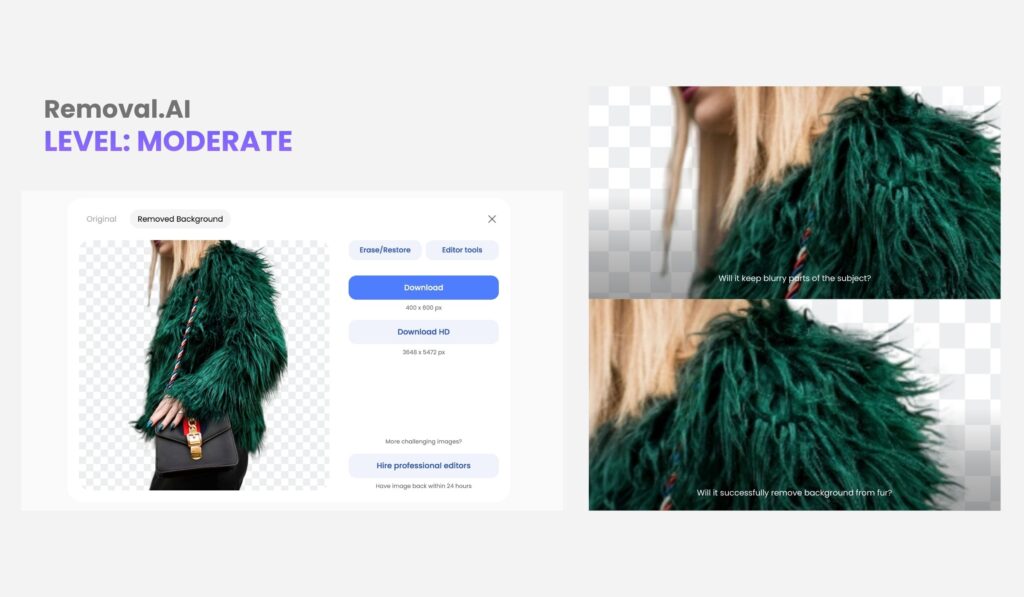
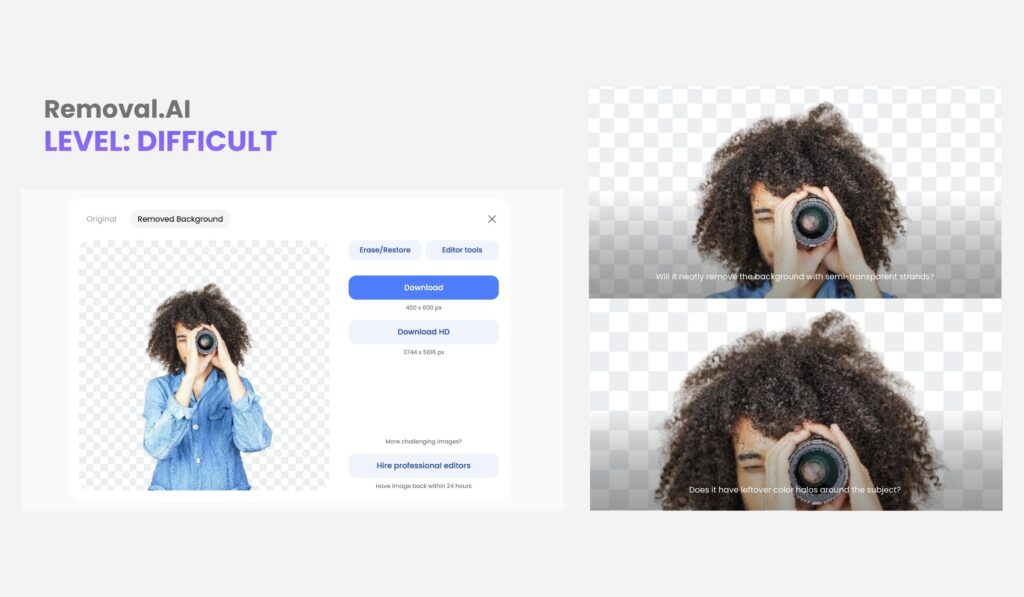
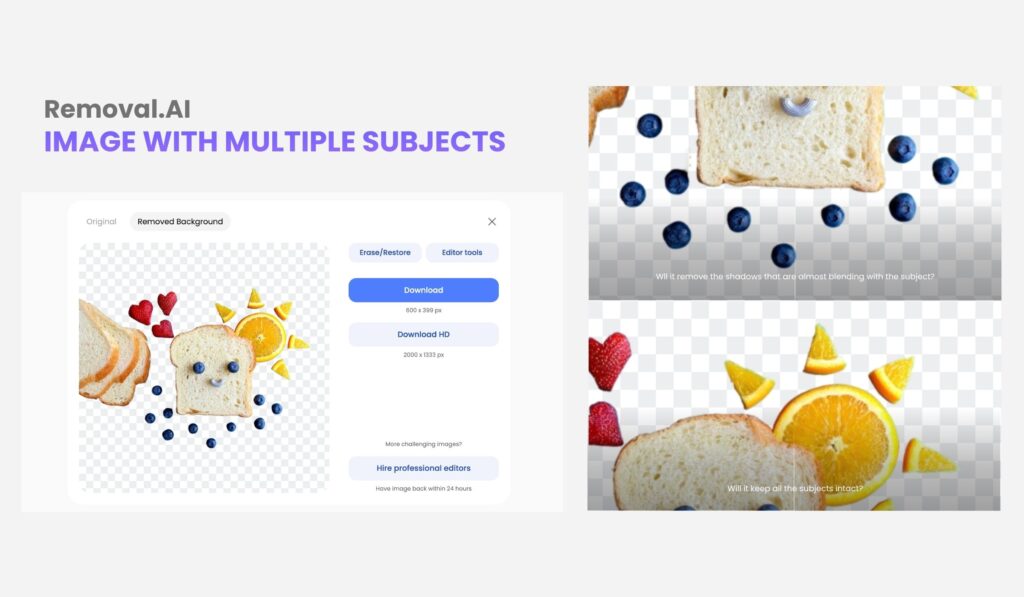
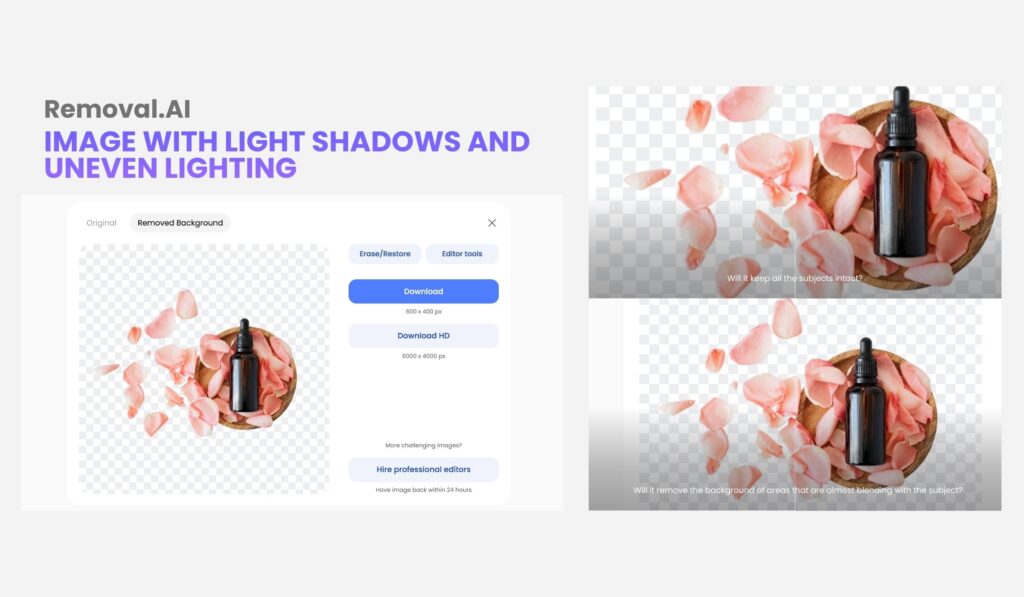
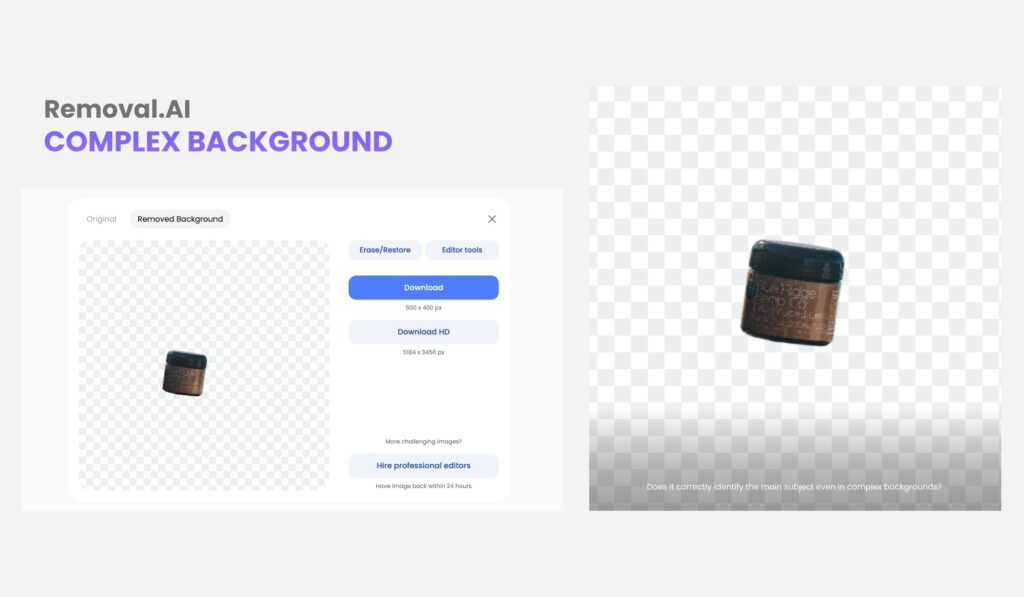
Answer: Yes. After the background removal process, you can choose to restore or remove pixels to suit your needs.
Answer: You can use Removal.AI’s editor tools to adjust the size/aspect ratio of your image. You can also change backgrounds, add texts, and in general, create a graphic design with Removal.AI.
Cost and Accessibility
You can use Removal.AI for FREE and download your image as many times as you want. For HD downloads, you have 1 credit for FREE.
The price range goes as low as $0.07 per image for 5,000 images or $359.90 per month. There are also packages for small-scale industries, like the $45.99 package for 75 images per month or only $0.61 per image. The service is affordable and caters to photographers, developers, designers, individuals, and other businesses that deal with hundreds to thousands of photos monthly.
Bulk Background Removal
Worry not if you have a lot of images to process. Removal.AI’s bulk background remover app can be downloaded for free. Using this tool, you can easily drag or upload hundreds to thousands of images at once to remove their backgrounds.
Who Uses Removal.AI?
- Product Photographers and E-commerce Sellers – The bulk background remover is Ideal for those who have lots of images and aims to keep them clean, consistent, and ready for online listings.
- Creative Professionals and Freelancers – Designers, marketers, and even teachers make use of Removal.AI to get quick, high-quality visuals without complex editing.
- Event and Portrait Photographers – The background change function is perfect for replacing or enhancing backdrops while maintaining natural shadows and fine details.
- Marketing Agencies and Content Teams – Uniform and on-brand visuals are perfect for those who create content and agencies that need quick edits for design in less time.
- Developers and App Creators – Removal.AI’s API integration makes it easier for developers and app creators to add a background removal function that’s perfect for their clients’ or business’s needs.
- Pixlr
Over the years, Pixlr has evolved from a simple photo editor into a dependable online platform that balances creative freedom with everyday practicality. Let’s see how their background remover works:
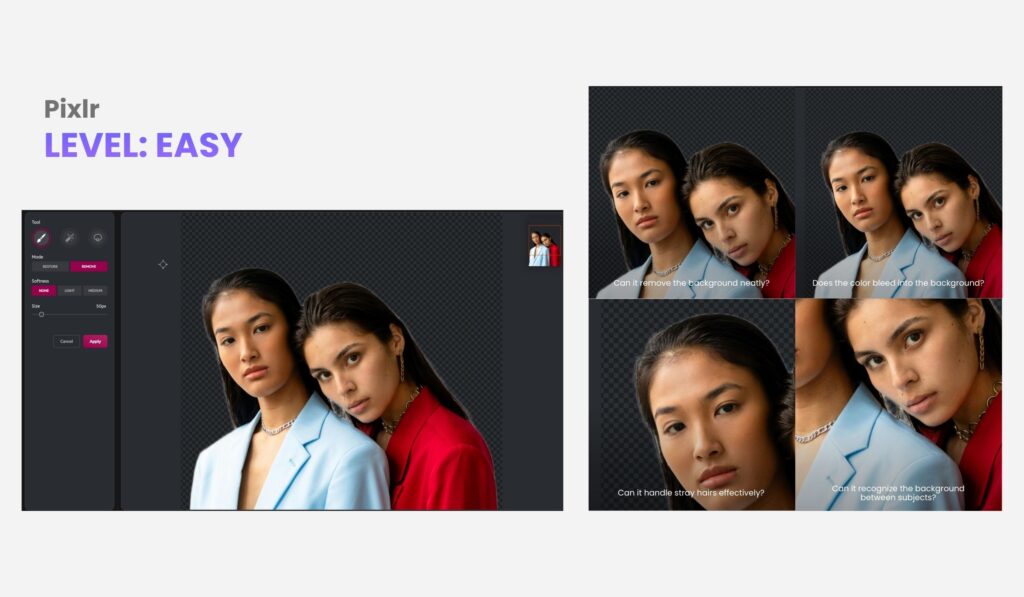
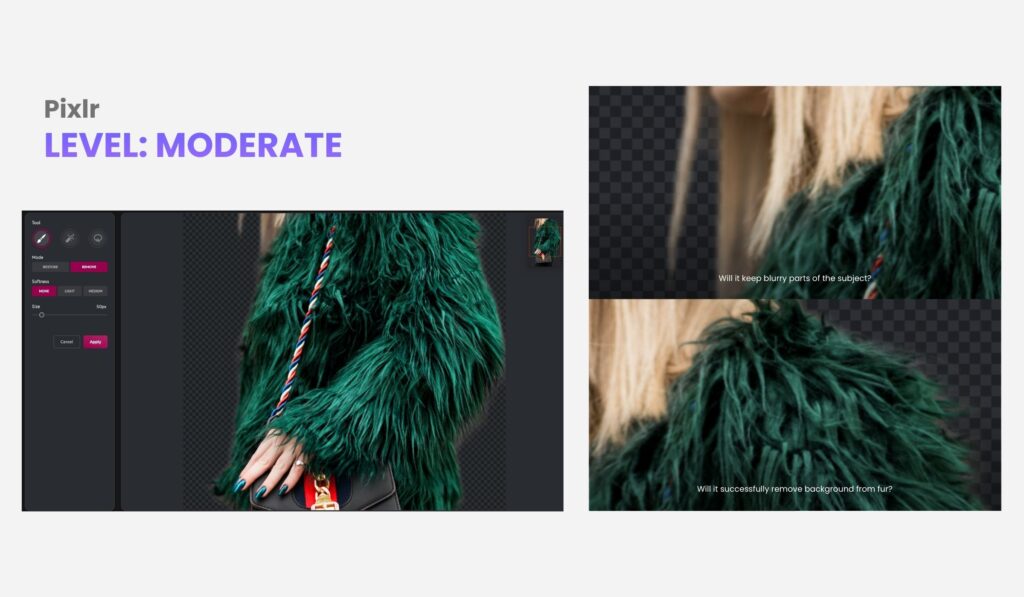
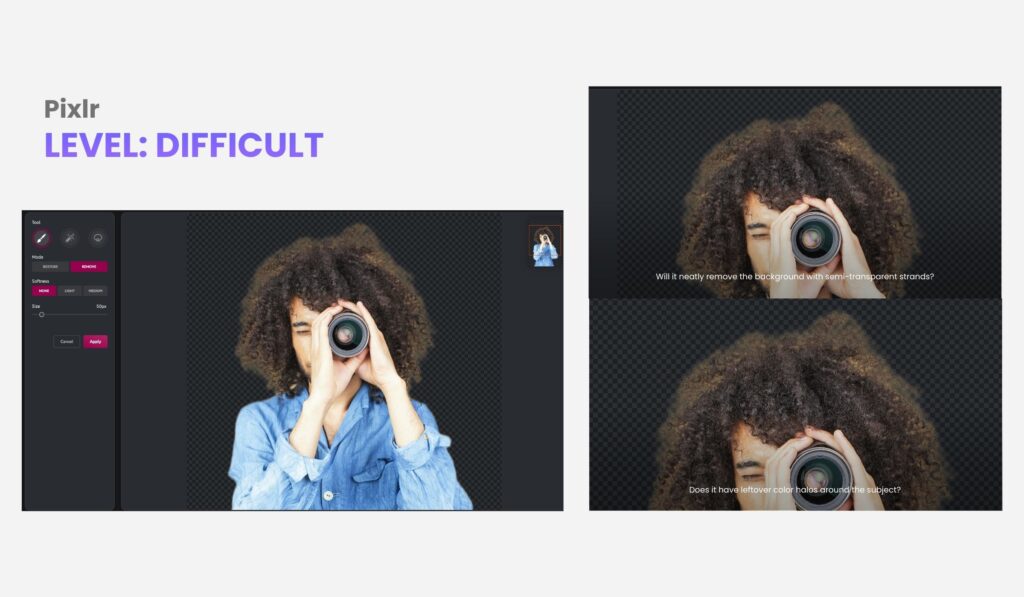
As for the results, Pixlr does create decent results. One thing to note, however, is the color bleeding around the edges, especially with images with hair and fur. If the color bleeds, it will be difficult for the background-removed image to blend in with a new background, especially if it is in a contrasting color or shade.
Another thing to note, Pixlr does very well when removing backgrounds with multiple subjects, as long as the contrast with the background is good. However, if the subject subtly blends with the background, it might be recognized as a part of it in general.
Therefore, when removing the background from an image with multiple subjects, it is best to use Pixlr if your subjects are well-defined.
Editing and Customization
Pixlr offers an option to fine-tune the background-removed image. You can remove or restore by drawing on it, using a magic tool, or creating a lasso. Be careful, though, the free plan doesn’t have an undo function available, so be patient when drawing on the edges to remove or restore them.
Regarding the resizing of the image, it does not have an option that allows you to manually do it. But it does have an auto crop tool that resizes your image while realigning the subject to the center.
Based on their website, Pixlr’s background remover tool is free to use. However, you need to pay for Premium in order to access additional functionalities and tools. It doesn’t mention though, what functions would be available but their pricing starts at $1.49/month.
As for batch background removal, Pixlr comes in handy because the tool allows you to upload multiple images directly through their website.
Best uses for Pixlr
Pixlr can be maximized by:
- Social media creators who want quick, browser-based edits.
- Students and freelancers working on light design projects without specialized software.
- Small business owners who need fast product visuals for online listings.
- Fotor
Fotor has become a familiar name in the world of online photo editing, especially for people who want quality visuals without the technical hassle. Originally known for its easy-to-use interface, it has grown into a go-to platform for quick edits, social media visuals, and simple creative projects. Let’s check it out.
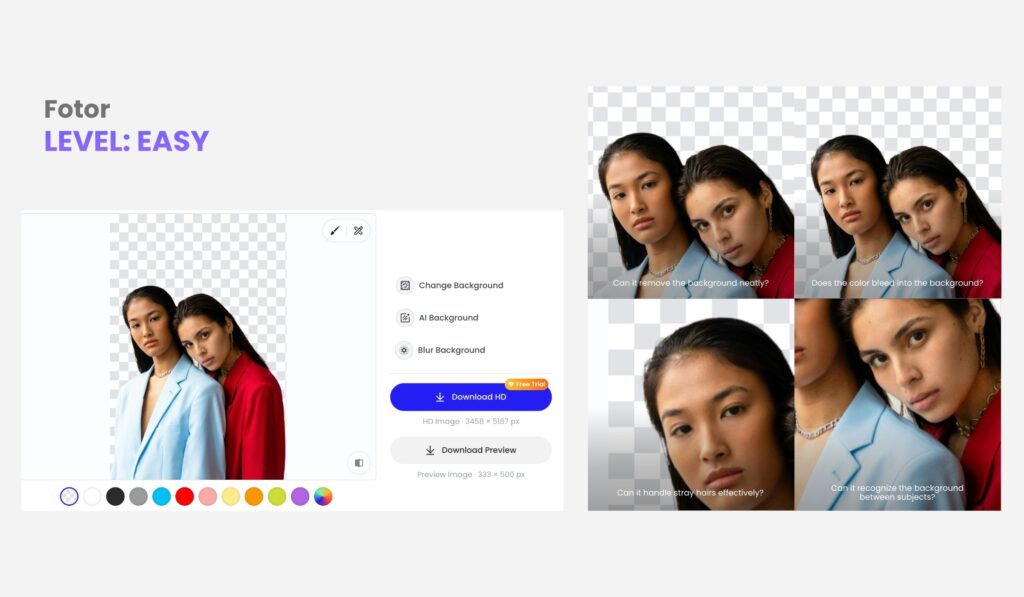
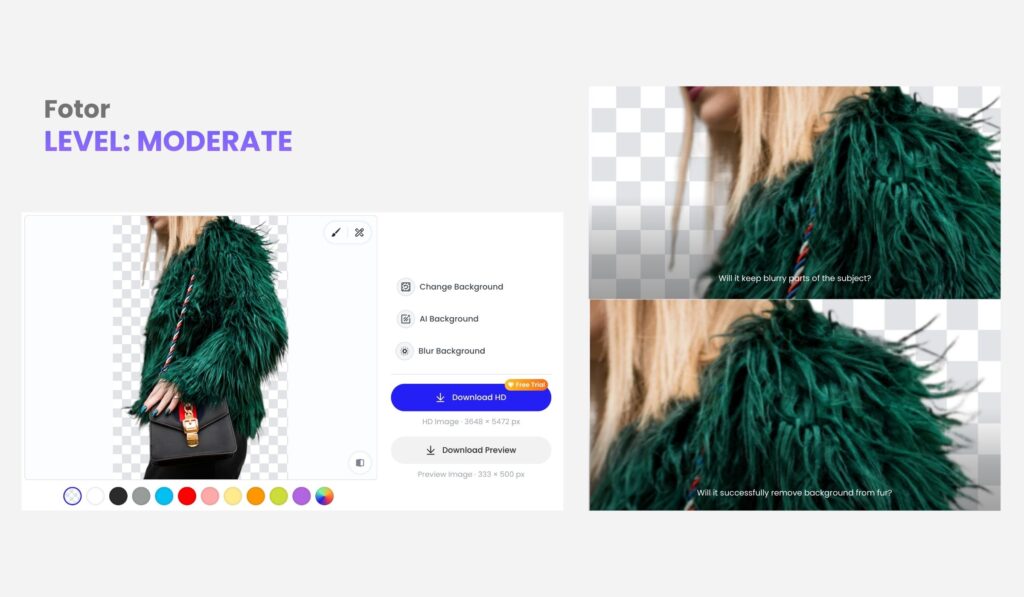
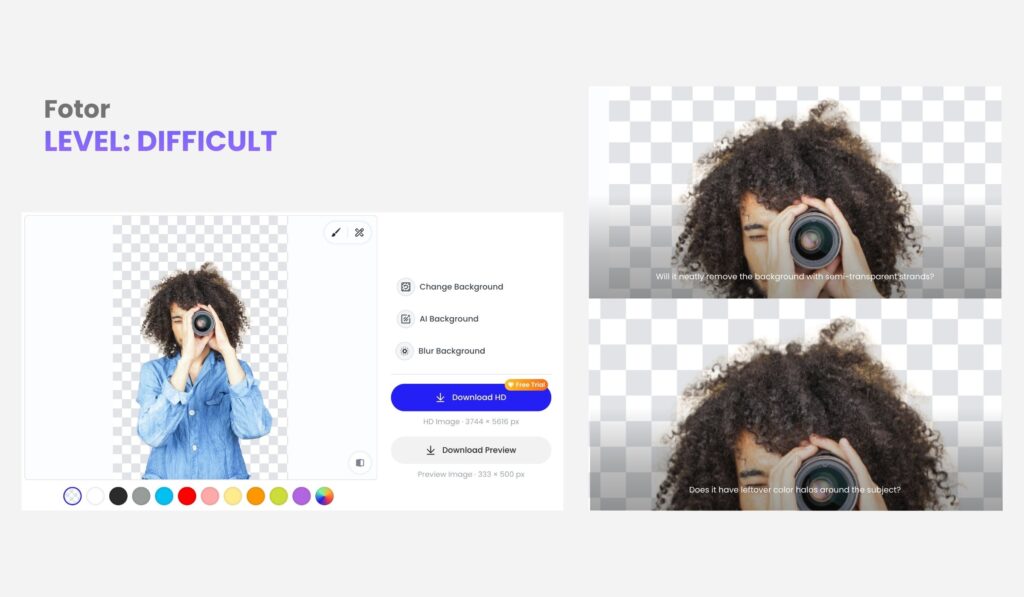
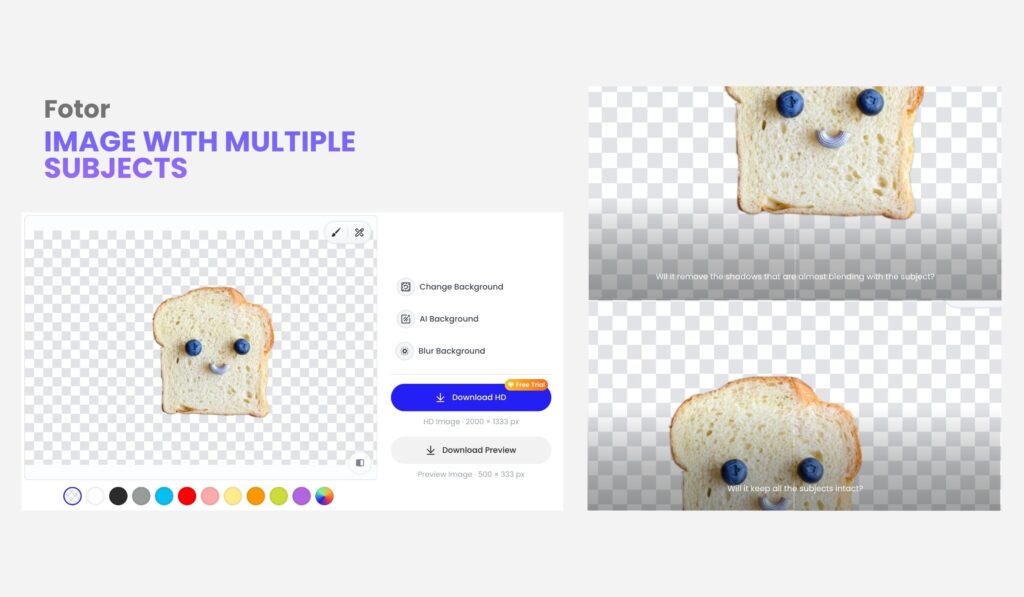
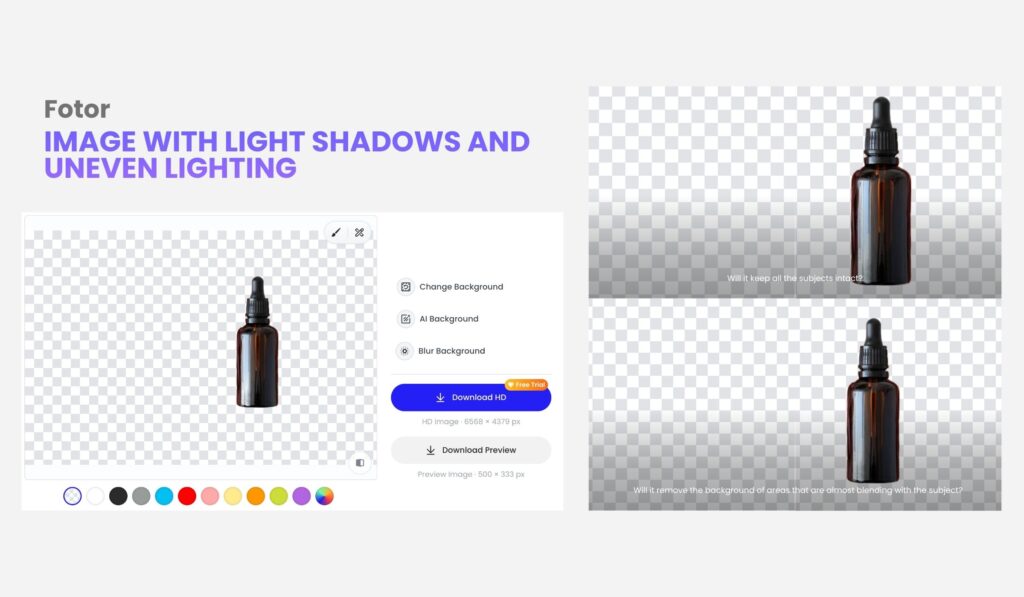
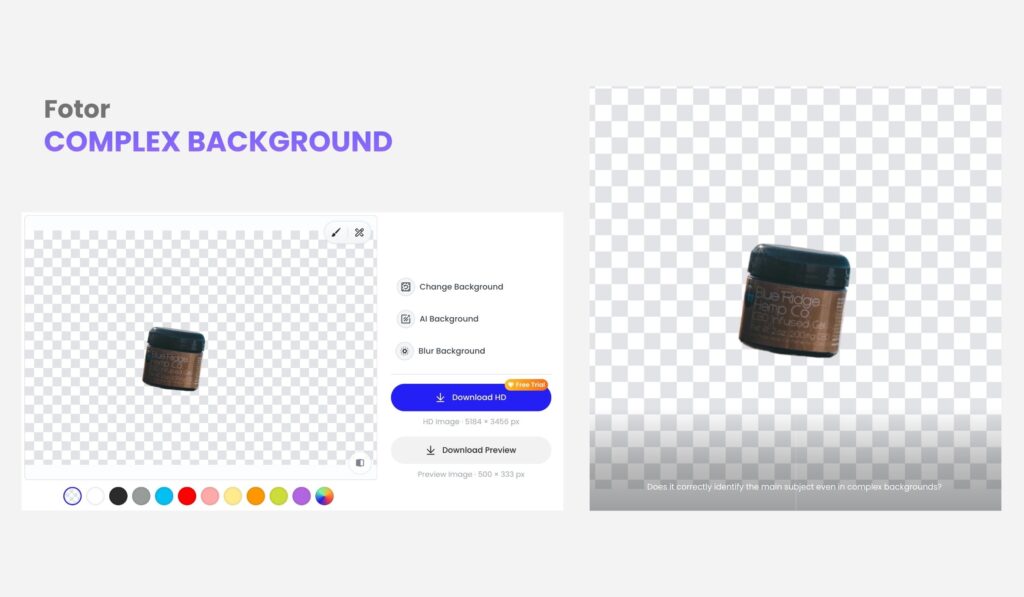
Fotor is a good tool to use for single-subject images. It can cut the backgrounds cleanly, but as for images with multiple subjects, such as the 4th and 5th images, you’ll find that it only recognizes the most prominent element as the subject and removes the rest.
- Picsart
Picsart has built a reputation as a creative powerhouse, attracting millions of users who love designing, editing, and experimenting with visuals. It’s known for blending accessibility with creativity, giving users the tools to make standout images without needing professional software or complex workflows.
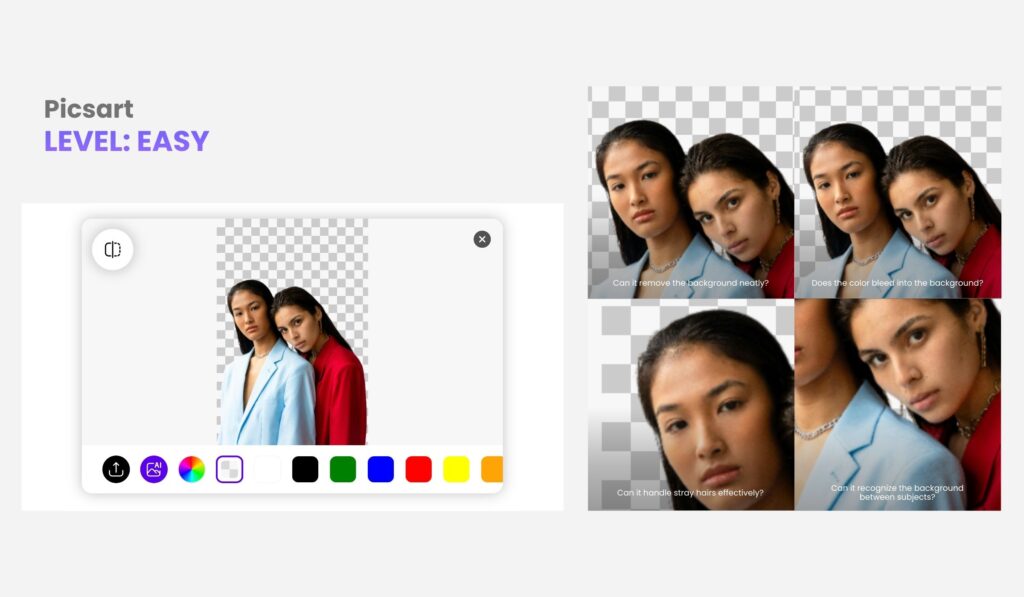
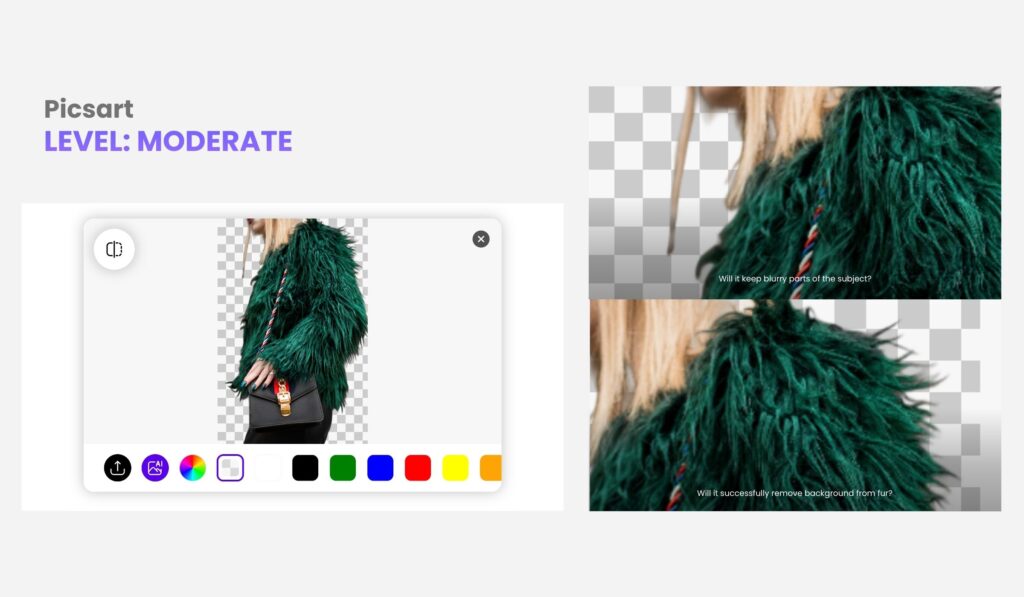
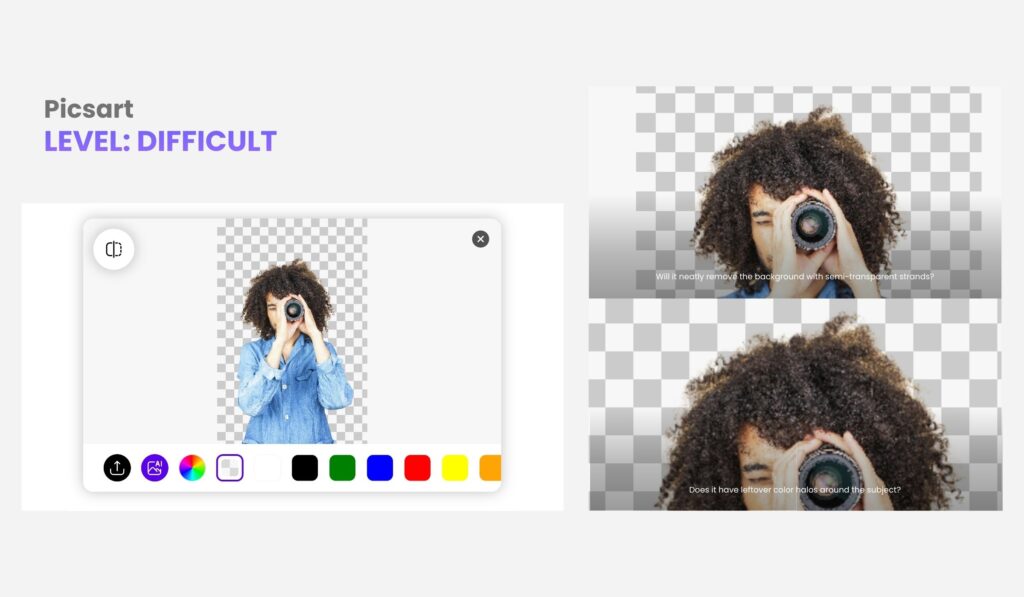
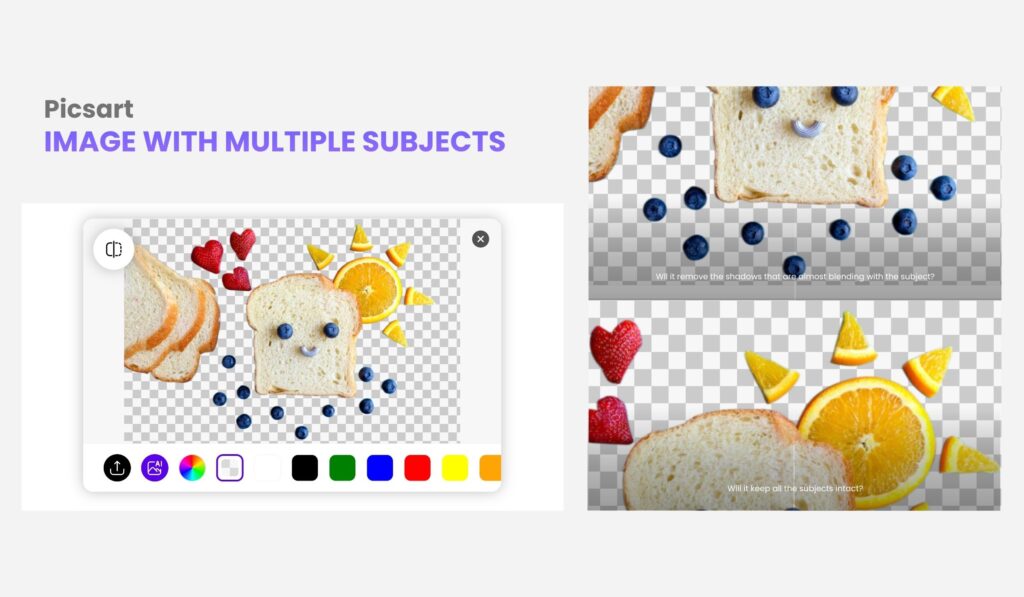
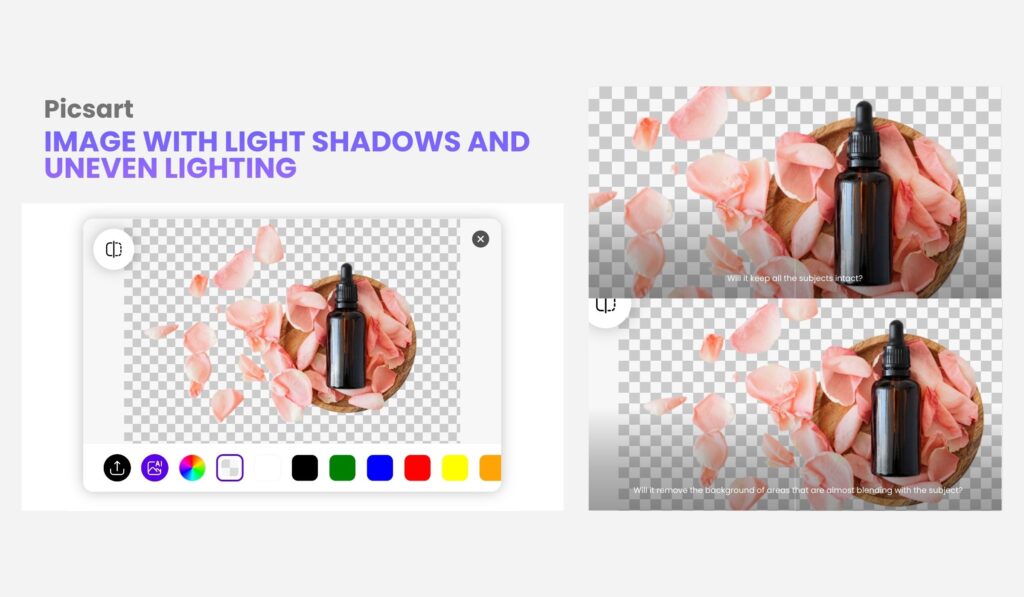
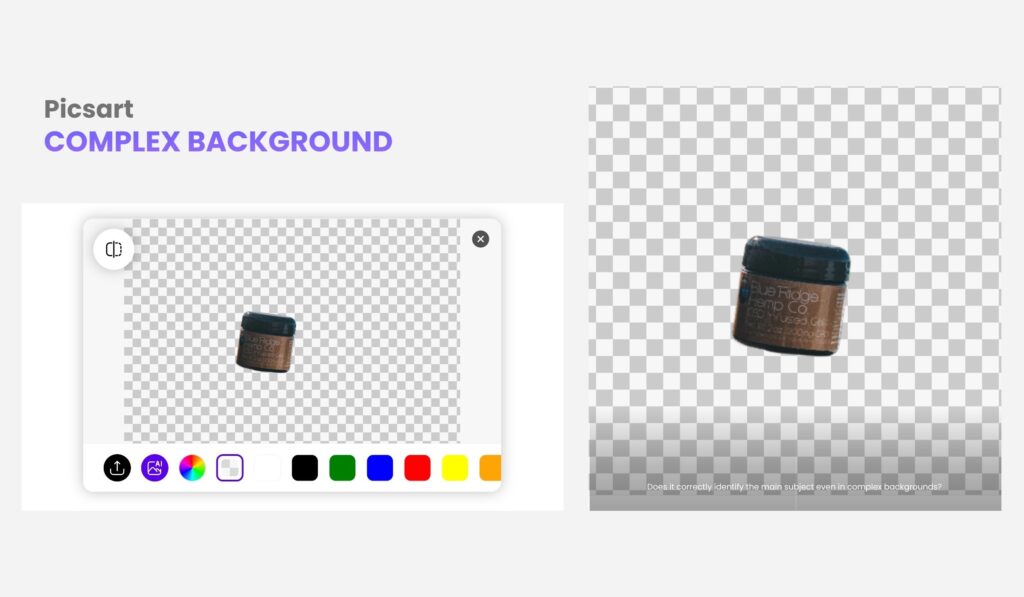
Same as Pixlr, Picsart also leaves some color bleeding on image number 3. As per observation, Image number 2’s result edges seem to be rather on the rougher side. Although this type of result could be preferential, it is good to note how the resulting edges might affect blending with new backgrounds in the future.
- Canva
Canva has become a household name in digital design, loved by millions for making creativity accessible to everyone. It’s the go-to platform for beginners, educators, and professionals who want their visuals to look clean, cohesive, and brand-ready without needing advanced editing skills.
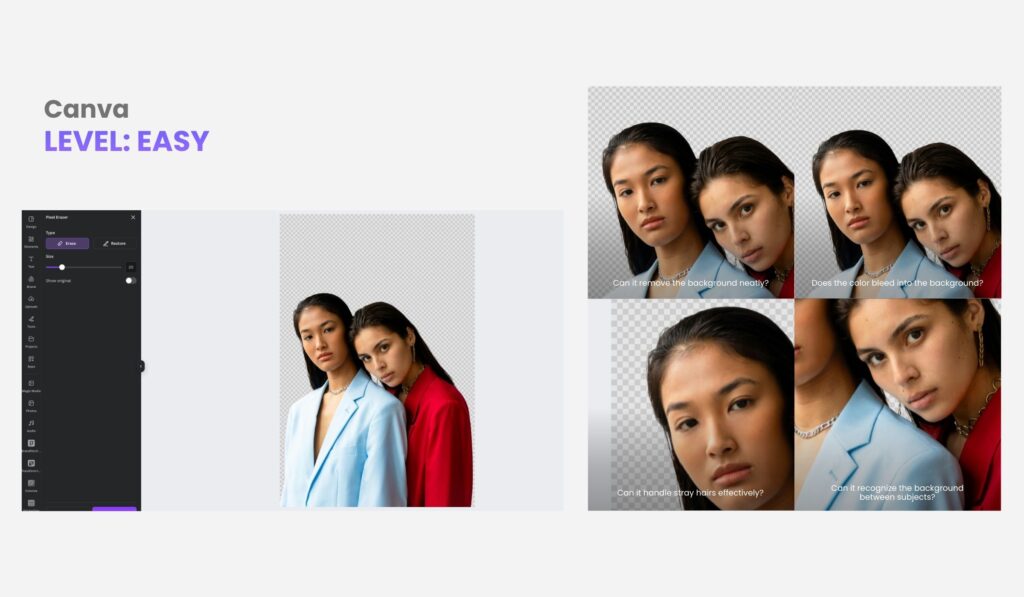
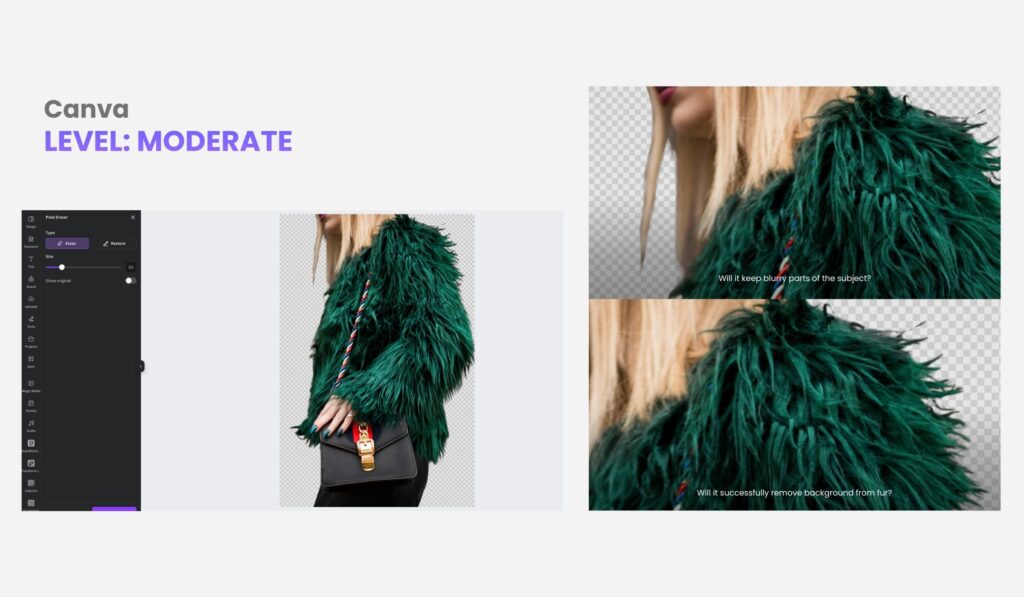
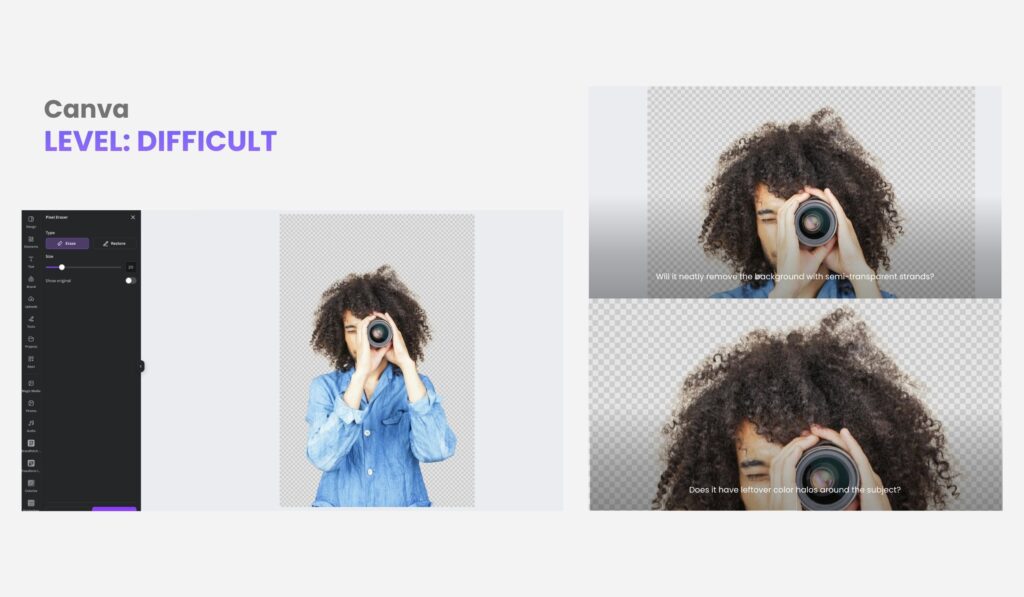
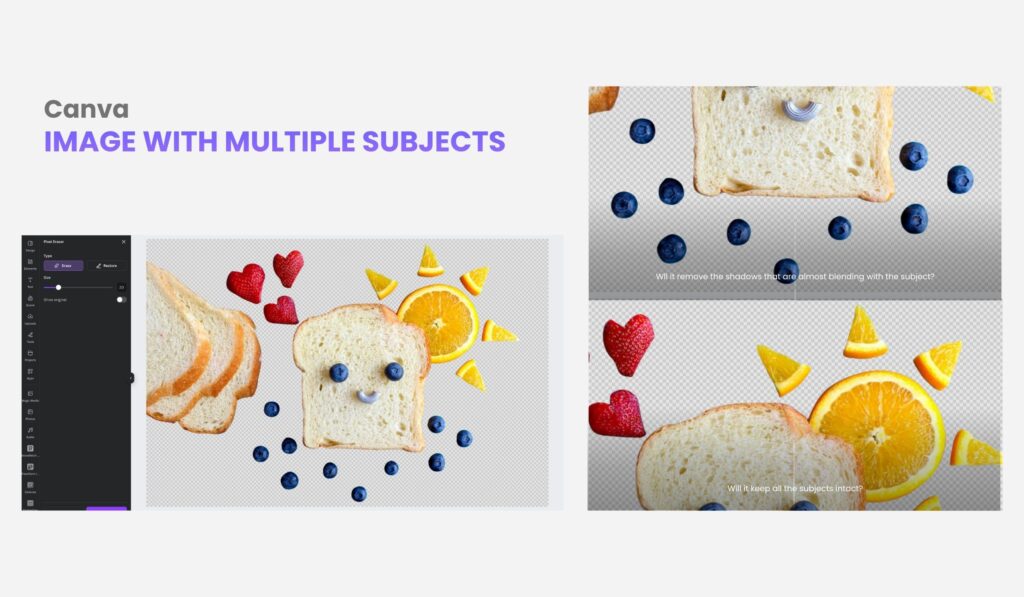
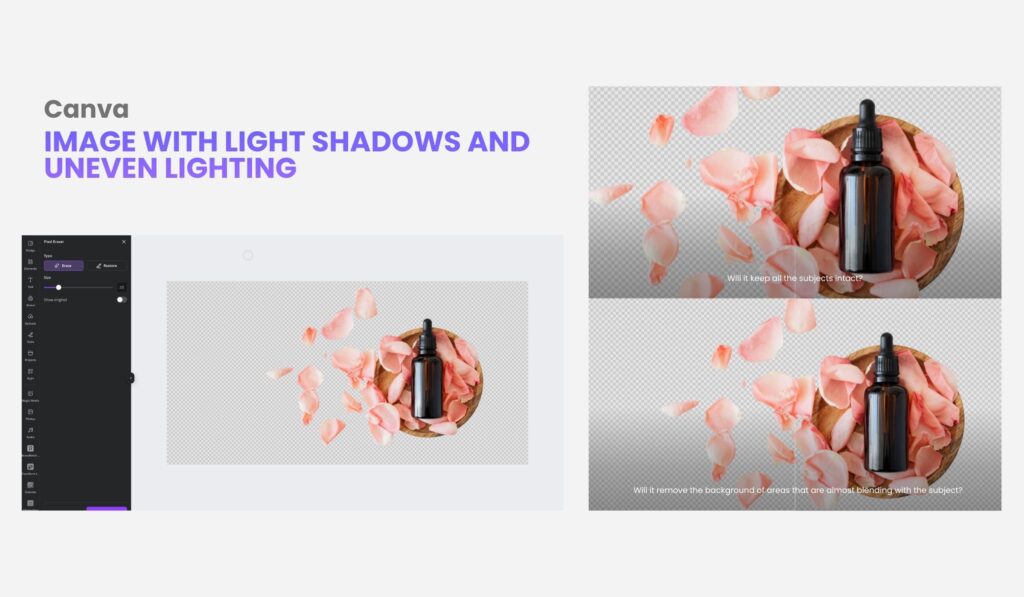
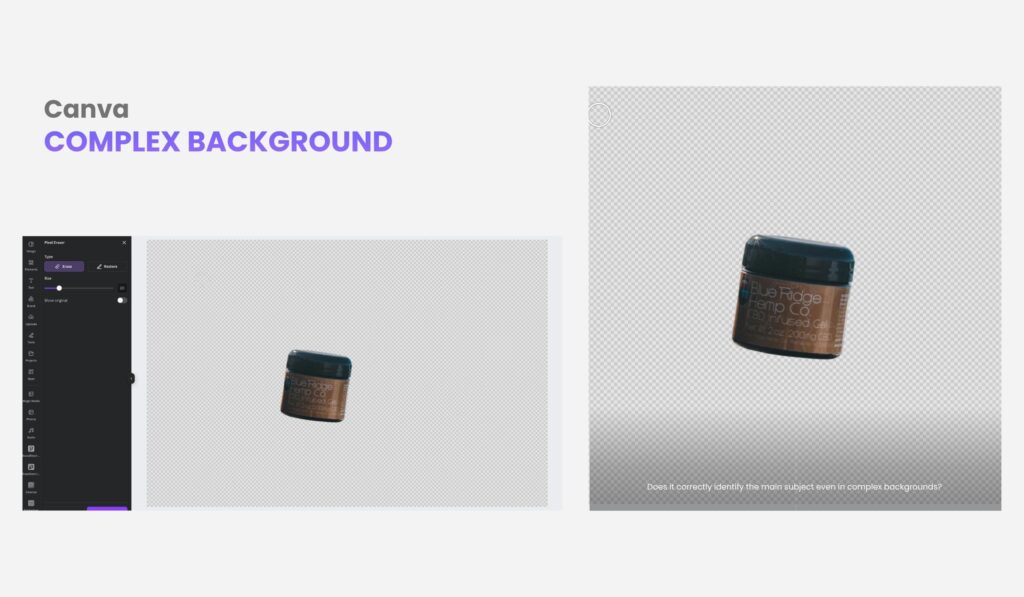
You cannot remove the background of multiple images in bulk with Canva, but when it comes to background removal of single images, Canva is very reliable. Along with its other features and tools, it’s no wonder that Canva is a perfect graphic design tool.
What else do I need to know about background removers?
Answer: Most background removal tools utilize artificial intelligence and machine learning to detect and separate the subject from its background automatically. They analyze colors, edges, and patterns to create clean cutouts—no manual tracing is needed.
Answer: Yes, most are highly accurate today thanks to AI that recognizes edges and details. Results depend on image quality, but top tools like Removal.AI and Adobe handle most photos cleanly, needing only minor touch-ups for complex images.
Answer: Definitely, some tools, such as Removal.AI and Remove.bg, support batch processing, enabling users to edit hundreds of images simultaneously—a significant time-saver for e-commerce sellers or agencies.
Answer: Not always. Most background remover tools are browser-based, allowing you to upload, edit, and download directly online without the need for installation.
Answer: The e-commerce, real estate, marketing, and photography industries are among the most prominent users—especially since over 75% of online shoppers report that product images influence their purchasing decisions.
Answer: Most reputable tools use encrypted servers and automatically delete uploaded files after a short period. Still, always check a platform’s privacy policy before uploading sensitive content.
Avoid using AI background removers for overly complex images, such as those with mesh/nets. You can outsource professional editing services to achieve a perfectly removed background for these types of images.
Graphic designers, UI designers, marketers, e-commerce managers and photographers, real estate use AI background removers a lot. But ultimately, anyone can use it even for their personal needs.
What’s the Best Background Remover?
Among all the free online background remover tools available today, Removal.AI stands out for its balance of simplicity, quality, and speed. It’s built for creators and businesses that demand professional results without wasting hours on manual editing. Powered by advanced AI, it processes images quickly and cleanly, making it ideal for industries that handle thousands of visuals daily. The best part is that its pricing remains highly competitive while delivering consistent, studio-quality output every time.
In a digital world where images speak louder than words, tools like Removal.AI don’t just clean up photos—they elevate stories. Each edited frame becomes sharper, each subject more defined, each brand more alive. With the right background remover tool, even the simplest photo can capture attention, evoke emotion, and turn ordinary visuals into something truly unforgettable.
Disclaimer: We do not own some of the images, videos, and content being shared on this page. Please note that some of the images, and videos we used have copyrights belonging to their original owners. No copyright infringement intended. If you originally owned the images, videos, and content we shared and distributed on our website, and do not wish to have your work published or distributed should make your wishes known to us. You can email us at hello@removal.ai. We will take your content down and never publish it on any of our pages.
Latest